
Hearts Pro
AI Factory LimitedCard
4.7328.00 Reviews
- Version
- 2.07
- Installs
- 10.00K
- Age Rating
- Everyone
Screenshots
Our Review of Hearts Pro
 Analysis by Appyee
When I’m choosing a digital card game, I first ask a practical question: do I want to learn a familiar game, play a quick solo hand, or sit down with people I know? Hearts Pro is aimed at the first two needs, with Hearts as its focus rather than a collection of unrelated card games. It is a paid game from AI Factory Limited, and its 4.7 average from around 1.4K ratings suggests that many players find its straightforward approach worthwhile. I’d judge it less by how many extras it promises and more by whether its play feels clear and convenient when I have a few spare minutes.
Getting Started with Hearts Pro
First off, downloading and setting up Hearts Pro is a breeze. Available on both Android and iOS, you can find it easily on your device’s app store. Once installed, you’re greeted with a clean, user-friendly interface that’s both inviting and straightforward. It’s like the app knows you’re here to play and doesn’t waste your time with unnecessary frills.
A familiar game, with a useful learning curve
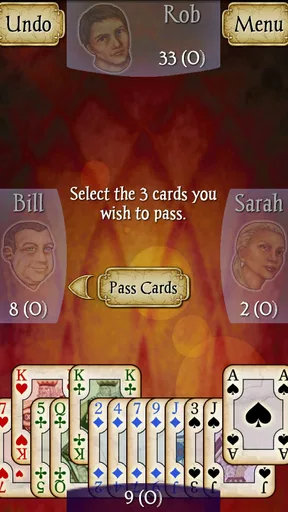
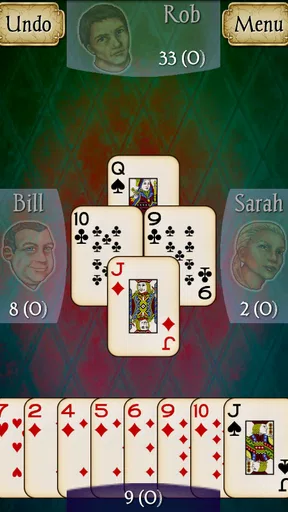
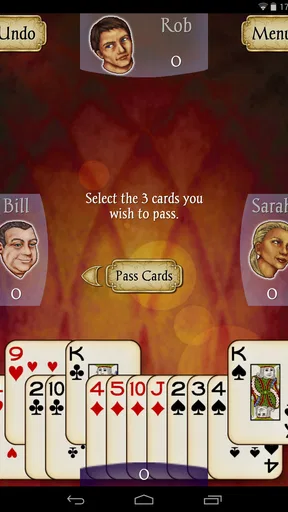
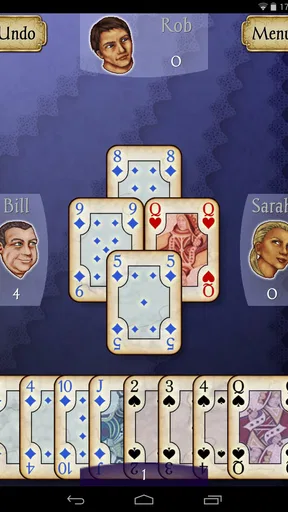
The design is sleek and modern, yet it pays homage to the traditional roots of the card game. The cards are easy to read, and the animations are smooth, making for an engaging gaming experience. The app’s layout is intuitive, so you won't find yourself fumbling around trying to figure out what to do next. The developers have done an excellent job keeping it simple but visually appealing.
One feature I particularly appreciate is the tutorial mode. If you’re new to Hearts or just need a refresher, the app provides a quick and easy guide to get you up to speed. This is perfect for beginners or those of us who might be a bit rusty.
That guidance is especially handy because Hearts is not simply a matter of playing the highest card you hold. You have to think about which tricks you can safely take, what you may be passing along, and how the cards already played change your options. I find it more useful to treat the tutorial as a starting point, then learn by paying attention to each hand. A short solo session lets me test a cautious strategy without holding up friends or feeling pressured to make a fast decision.
What the play is best suited for
One of the highlights of Hearts Pro is the variety of game modes it offers. Whether you want to play solo against AI opponents or challenge your friends in multiplayer mode, the app has got you covered. The AI is surprisingly smart, providing a challenging experience that keeps you on your toes. But don’t worry, it’s not too difficult to the point of being frustrating.
Multiplayer mode is where the real fun begins. You can invite your friends to play or join random matches with players worldwide. The matchmaking process is quick, and I didn’t experience any lag or connectivity issues, which is crucial for an uninterrupted gaming session.
For an everyday use case, I’d choose a solo game during a commute break or while waiting for an appointment: it gives me a way to play a complete round without coordinating schedules. With friends, the appeal changes. Hearts becomes a shared activity, and the social element matters as much as the cards. If your group already knows the rules, it can be an easy way to keep a familiar card-night routine going when everyone is apart. If your main goal is a relaxed offline pastime, check that the way you intend to play is available before relying on it; a multiplayer option is not the same thing as a promise that every mode works without a connection.
A useful habit in solo play is to watch the flow of suits rather than focusing only on the card you are about to play. When a player cannot follow suit, that can change how cautiously I approach later tricks. I also try not to judge the AI from one hand: Hearts has a strong element of changing circumstances, and a single unlucky deal can make a sensible plan look poor. That makes the game better for practice than for treating every result as a definitive measure of skill.
Small adjustments, with limits
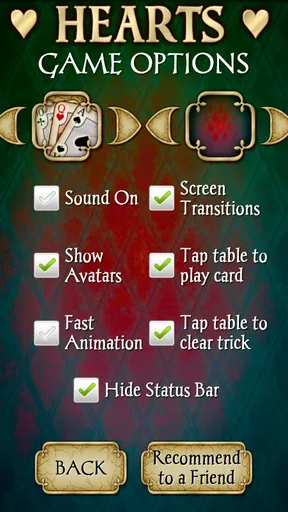
One of the neat features of Hearts Pro is the level of customization it offers. You can personalize your game experience by choosing different card designs and table backgrounds. It’s a small touch, but it adds a layer of personalization that makes the game feel more your own.
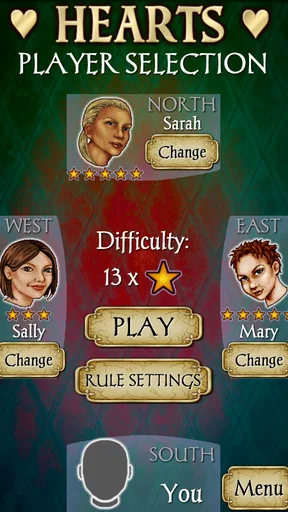
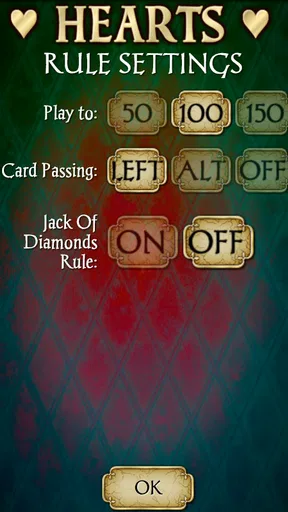
Moreover, the app allows you to set different difficulty levels for AI opponents, so as you get better, you can up the challenge. This ensures that the game remains engaging and doesn’t become stale over time.
I’d use those settings with a specific purpose rather than changing them just for novelty. A gentler AI setting can make a first few games less intimidating, while a tougher one gives an experienced player a reason to think more carefully about risk. Card and table choices are more about comfort than strategy, but readability matters in a game where you need to track suits and remember what has already appeared. If a design feels attractive but makes the cards harder for you to scan, I’d switch back; clarity is more valuable than decoration here.
The main trade-off is that the appeal depends on liking Hearts itself. Customizing the table or changing AI difficulty can freshen familiar sessions, but those options do not turn it into a broad card-game collection. If I want to move between several different games in one app, I’d look for a general card-game hub instead. If I want to focus on Hearts, the narrower scope is a benefit: there is less to navigate before I can get to the game I came for.
Playing with other people
Hearts Pro has a vibrant player community, and the social features enhance the overall experience. You can chat with opponents during matches, which adds a fun, interactive element to the game. The community is generally friendly, and it’s easy to make new friends or find a regular group to play with.
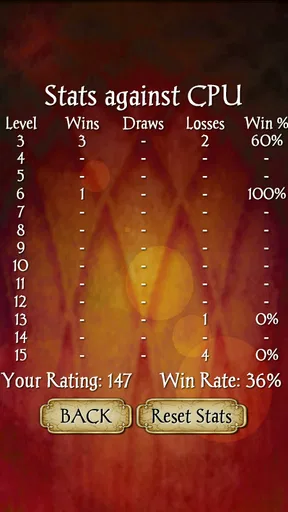
Another cool feature is the leaderboard where you can see how you rank against other players globally. It’s a great way to track your progress and gives you that little extra push to improve your skills.
Social play is a better fit when I’m in the mood to interact than when I only want a quiet hand. Chat can make a match feel more human, but it also means the experience may be less calm than playing against the computer. I would not choose an online table expecting every opponent to behave like a close friend or to play at my preferred pace. For a dependable, low-pressure session, solo play is the safer choice; for the unpredictability of meeting other players, multiplayer has the stronger draw.
Leaderboards are best treated as a nudge rather than the point of the game. A global position gives competitive players something to check, but it cannot explain whether a particular hand was well played or simply dealt favorably. I’d focus on decisions I can control—what I pass, when I risk taking a trick, and how I adapt once the hand develops—instead of letting a rank turn a casual pastime into a chore.
How it compares with other card-game choices
Compared with a physical deck, this is more convenient when no one is nearby to deal or when I want opponents ready for a solo game. A real table still wins for face-to-face conversation, reading friends’ reactions, and the tactile feel of handling cards. Compared with broad card-game apps, a dedicated Hearts game makes more sense if this is the game I actually want to play; a multi-game alternative is better if I regularly switch between different rules and styles.
There is also a choice between playing against AI and joining online opponents. AI is convenient for short sessions and practice at my own pace, while human players add social variety and a less predictable rhythm. Neither is universally better. Someone learning the basics may prefer solo play first, then try multiplayer once the rules feel comfortable. A player who mainly wants conversation may find that a digital table cannot replace gathering around a physical one, even when it makes arranging a game easier.
On Android, the game is rated for Everyone, has reached over 10K installs, and currently sits at version 2.04. Its history goes back to its release on September 15, 2011, and it requires Android 6.0 or later. I’d check those device requirements before buying if I’m using an older phone. The game costs $4.99, so the key decision is whether I expect to return to Hearts often enough to justify paying for a focused game rather than choosing a free or broader alternative.
What to consider before switching
If you already play Hearts elsewhere, the biggest adjustment is not learning a new kind of card game; it is getting used to a different digital table, opponent behavior, and set of presentation choices. I’d give myself a few hands before deciding whether the AI suits me, especially if I’m accustomed to a different house style or pace. The tutorial can ease a return to the rules, but it cannot make every group’s habits identical, so friends who learned different conventions may still need to agree on expectations before playing together.
The price also changes the decision. At $4.99, this is not the choice I’d make if I only want to try Hearts once or if I’m uncertain that I enjoy trick-taking games. A free alternative may be a more sensible first stop in that situation. On the other hand, someone who already knows they like Hearts and wants a dedicated option may value having the game ready for repeated solo or social sessions. I’d think of the purchase as paying for a focused pastime, not for a promise that it will replace every card app or every in-person game.
One practical way to decide is to ask what usually stops you from playing. If it is finding three other people, solo AI play addresses that obstacle. If you already have a regular group but need a way to play remotely, the multiplayer options are more relevant. If the problem is that you get bored with Hearts quickly, extra card and table designs are unlikely to change your mind. That distinction helps set realistic expectations before spending money.
My recommendation
Overall, Hearts Pro delivers a solid card game experience that both new players and seasoned veterans can enjoy. Its combination of sleek design, intuitive gameplay, and robust features make it a must-have app for any card game enthusiast.
Whether you’re looking to kill some time or engage in serious competition, Hearts Pro has something to offer. So, if you haven’t already, give it a download and start playing. Who knows, you might just find yourself hooked!
My recommendation is more specific: I’d choose it if Hearts is already a favorite, or if I want a guided way to learn and practice without needing a full table of people. Its tutorial, solo opponents, adjustable challenge, and online play cover different moods without losing sight of the central game. I’d skip it if I’m after a large assortment of card games, strongly prefer physical cards, or only want to experiment before committing to a paid app. For the right player, its focus is the point; for everyone else, that same focus is the clearest reason to choose something different.
Verdict
Strengths of Hearts Pro
- Intuitive interface for easy navigation.
- Variety of challenging game modes.
- Multiplayer option enhances fun.
- Customizable settings for personalization.
- Smooth performance with minimal lag.
Limitations of Hearts Pro
- Ads can be intrusive during gameplay.
- Limited free features without upgrades.
- In-app purchases can be pricey.
- Occasional connectivity issues in multiplayer.
- Requires stable internet for full features.
Other Releases by AI Factory Limited
View All


Similar Picks in This Category
View All
Solitaire - Classic Card Games
MobilityWare4.6

UNO!™
Mattel163 Limited4.3

Spider Solitaire: Card Games
MobilityWare4.6

Solitaire.com - Classic Cards
Tripledot Studios Limited4.7

Plants vs. Zombies™ Heroes
ELECTRONIC ARTS4.1

Hearthstone
Blizzard Entertainment, Inc.4.1
Frequently Asked Questions
What is Hearts Pro, and how does it differ from other card games?
Hearts Pro is a digital adaptation of the classic card game Hearts, designed for both Android and iOS platforms. It sets itself apart with a sleek interface, customizable game rules, and an intelligent AI opponent. Unlike many other card games, Hearts Pro offers an ad-free experience and the ability to participate in online multiplayer matches, making it a top choice for enthusiasts.
Is Hearts Pro suitable for beginners, and does it offer tutorials?
Yes, Hearts Pro is beginner-friendly and includes comprehensive tutorials to help new players understand the rules and strategies of the game. The app also offers adjustable difficulty levels, allowing players to gradually improve their skills. The intuitive design ensures that even those unfamiliar with card games can enjoy a seamless learning experience.
Does Hearts Pro require an internet connection to play?
Hearts Pro can be played both online and offline. While an internet connection is necessary for participating in multiplayer games with friends or global players, the app also offers a robust offline mode. In this mode, users can play against AI opponents, making it convenient for those without consistent internet access.
Are there any in-app purchases or subscriptions in Hearts Pro?
Hearts Pro offers a free version with essential features, but it also includes in-app purchases for additional content, such as exclusive card designs and advanced gameplay options. There is no mandatory subscription, allowing users to enjoy the core game without spending money, although premium options can enhance the experience.
How does Hearts Pro ensure fair play and prevent cheating in multiplayer games?
Hearts Pro employs a sophisticated algorithm to ensure fair play during multiplayer matches. The app uses secure servers to prevent cheating and maintains a balanced gameplay environment. Additionally, it features a robust reporting system, allowing users to report suspicious behavior, which is then reviewed by the support team for necessary action.
Play our best games!


